CI/CD Pipelines Guide with GitHub Actions, SonarCloud, Codecov, and Sentry

Rowland Adimoha / July 29, 2024
8 min read
Rowland Adimoha / July 29, 2024
8 min read
I've been developing an open-source REST API for a book management system. I've set up all the components for an enterprise application, including Docker, Prometheus, and Grafana. Additionally, I've established a thorough CI/CD pipeline. Here's a summary of how I configured the CI/CD pipeline using GitHub Actions to check test coverage, conduct code analysis, create build tags, and monitor performance errors.
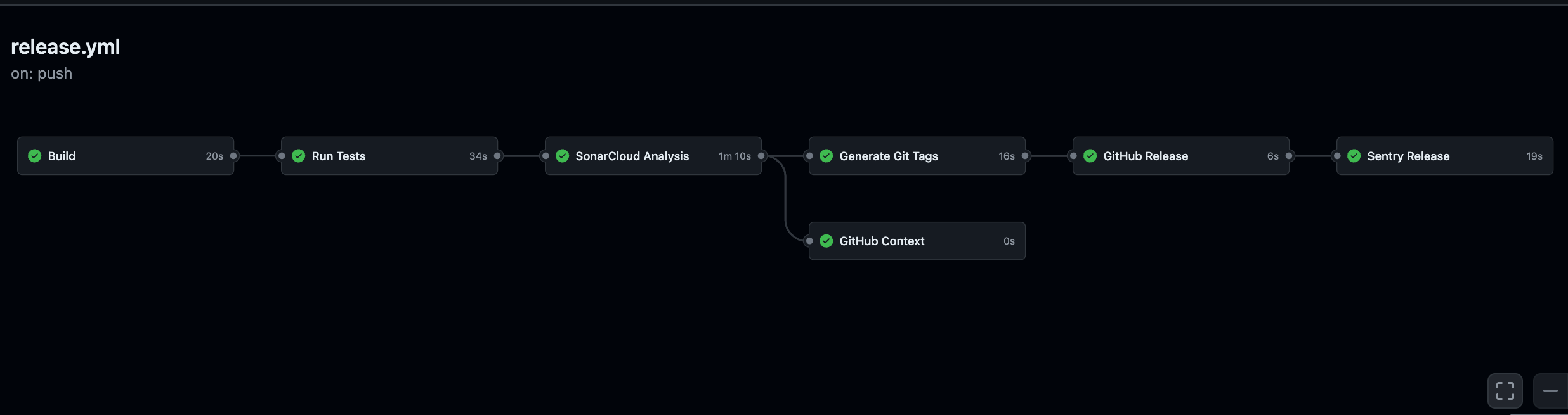
In this article, I will guide you through setting up a CI/CD pipeline using GitHub Actions. We will configure the pipeline to include test coverage reports, code quality analysis, automatic tag generation, release creation, and performance monitoring.
Before we proceed with the CI/CD configuration, please ensure you have the following:
CODECOV_TOKEN to the secret keys of your GitHub repository project.CHANGELOG_RELEASE from your profile settings to the project repository for error monitoring, so that the tag will correlate with Sentry production.Let's break down the configuration of our CI/CD pipeline step by step.
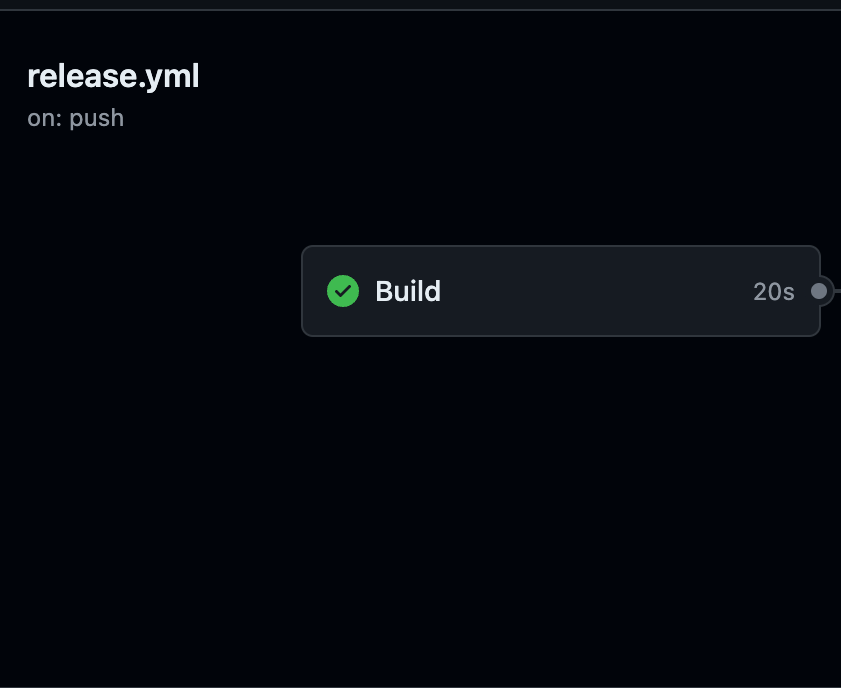
First, we need a build job needs to be created to run on the ubuntu-latest environment. This job should check out the code, set up Node.js, and install the necessary dependencies.
name: CI/CD Pipeline

on:

push:

branches:

- main

jobs:

build:

name: Build

runs-on: ubuntu-latest

steps:

- name: Checkout code

uses: actions/checkout@v3

- name: Set up Node.js

uses: actions/setup-node@v2

with:

node-version: '20'

- name: Install dependencies

run: npm ci
In this job, we first check out the code from the repository. Next, we set up Node.js using the actions/setup-node action, specifying version 20. Finally, we install the project dependencies using npm ci.
 Image
Image
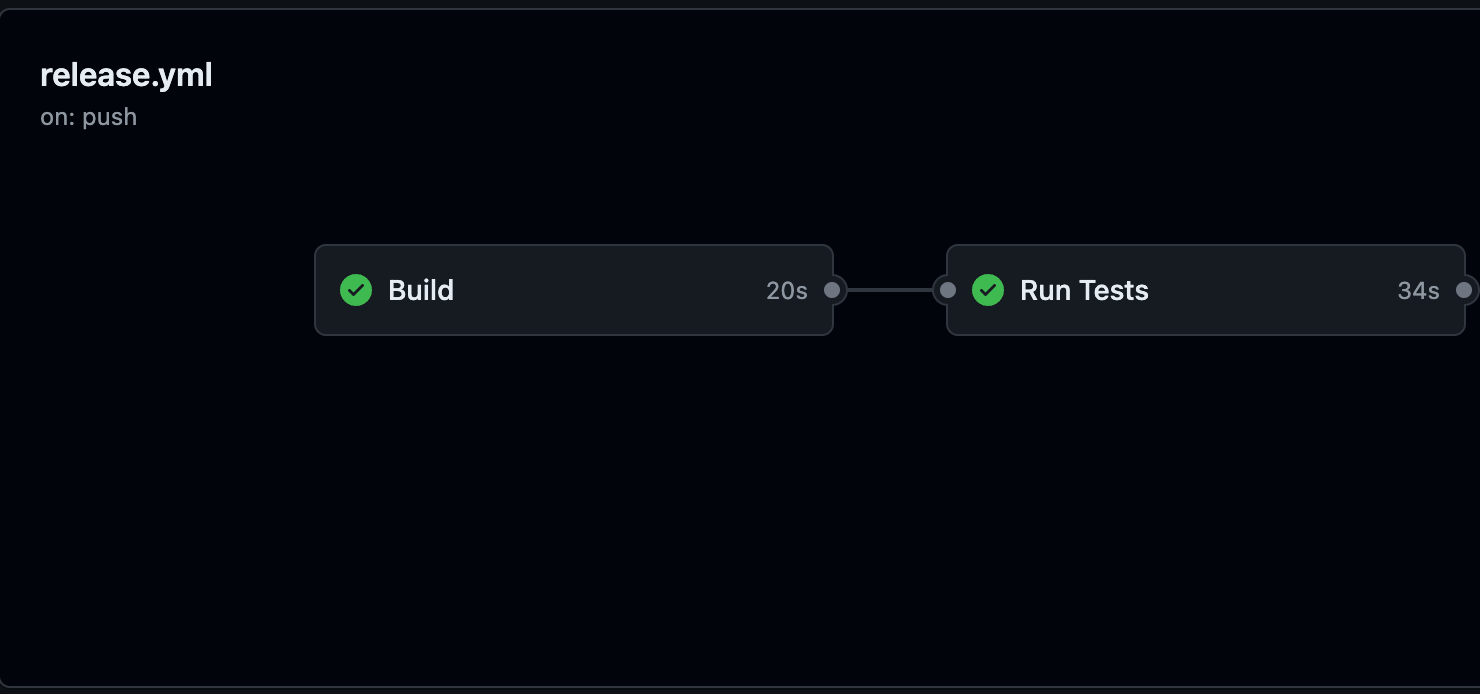
Next, we will create a test job to execute our tests and then upload the coverage reports to Codecov.
test:

name: Run Tests

runs-on: ubuntu-latest

needs: build

steps:

- name: Checkout code

uses: actions/checkout@v3

- name: Set up Node.js

uses: actions/setup-node@v2

with:

node-version: '20'

- name: Install dependencies

run: npm ci

- name: Run tests with coverage

run: npm run test:coverage

- name: Upload coverage reports to Codecov

uses: codecov/codecov-action@v3

with:

files: ./coverage/lcov.info

flags: unittests

name: codecov-umbrella

fail_ci_if_error: true

env:

CODECOV_TOKEN: ${{ secrets.CODECOV_TOKEN }}
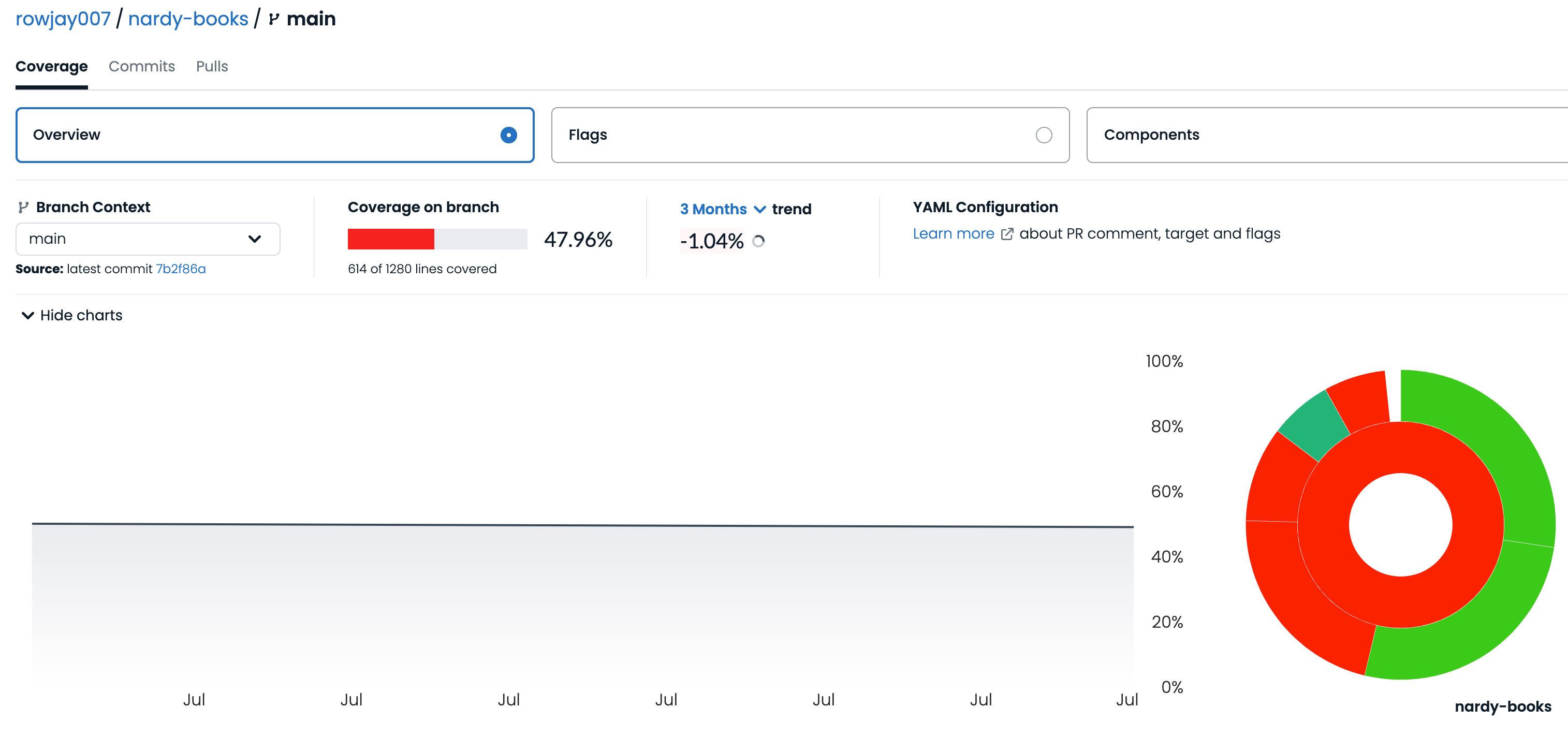
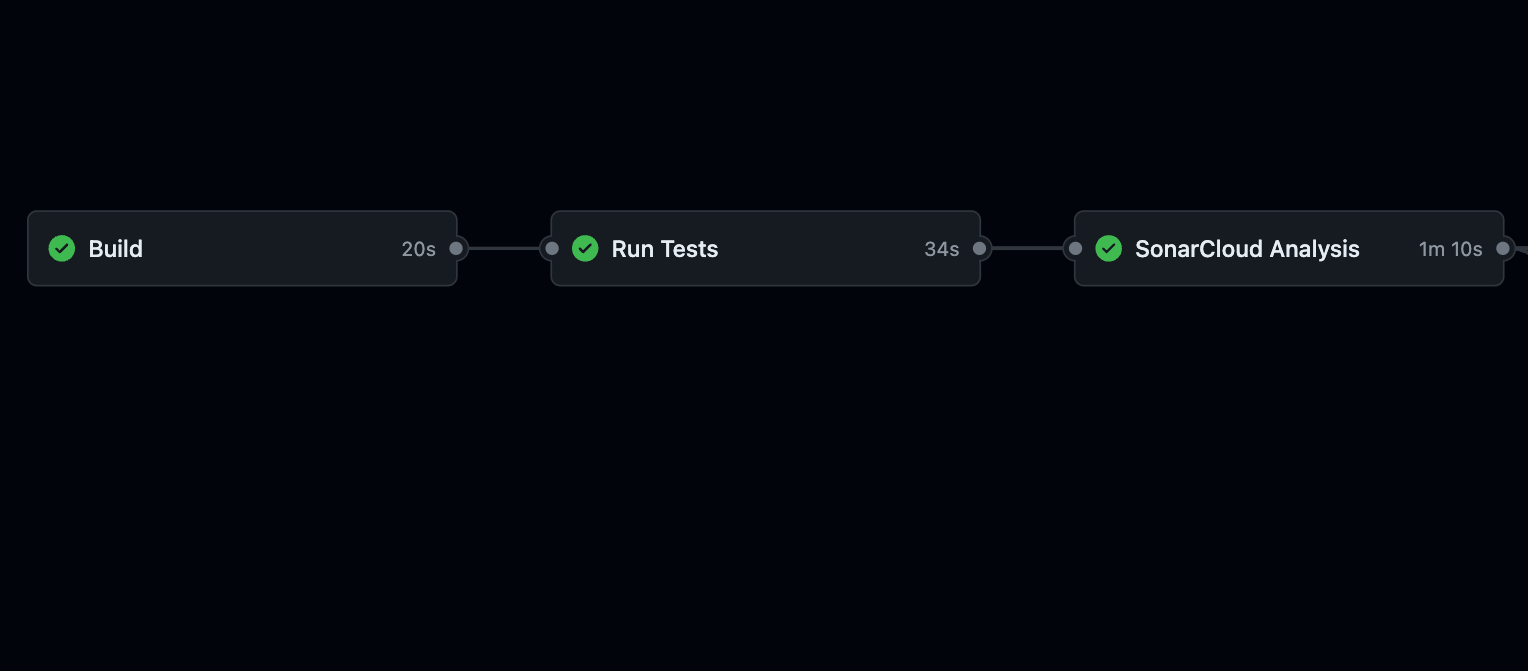
This job is triggered only after the build job is completed successfully. It checks out the code, sets up Node.js, and installs the dependencies. Then, it runs the tests with coverage and uploads the coverage report to Codecov.
 Image
Image
 Image
Image
Let's set up a job to perform static code analysis using SonarCloud.
sonarcloud:

name: SonarCloud Analysis

runs-on: ubuntu-latest

needs: test

steps:

- name: Checkout code

uses: actions/checkout@v3

with:

fetch-depth: 0

- name: Set up Node.js

uses: actions/setup-node@v2

with:

node-version: '20'

- name: Install dependencies

run: npm ci

- name: SonarCloud Scan

uses: SonarSource/sonarcloud-github-action@master

env:

GITHUB_TOKEN: ${{ secrets.GITHUB_TOKEN }}

SONAR_TOKEN: ${{ secrets.SONAR_TOKEN }}

with:

projectBaseDir: .

args: >

-Dsonar.organization=rowjay007

-Dsonar.projectKey=nardy-books

-Dsonar.sources=src

-Dsonar.tests=src/test

-Dsonar.javascript.lcov.reportPaths=coverage/lcov.info

-Dsonar.typescript.tsconfigPath=tsconfig.json

-Dsonar.exclusions=**/node_modules/**,**/dist/**,**/coverage/**,**/public/**

-Dsonar.test.inclusions=**/*.test.ts
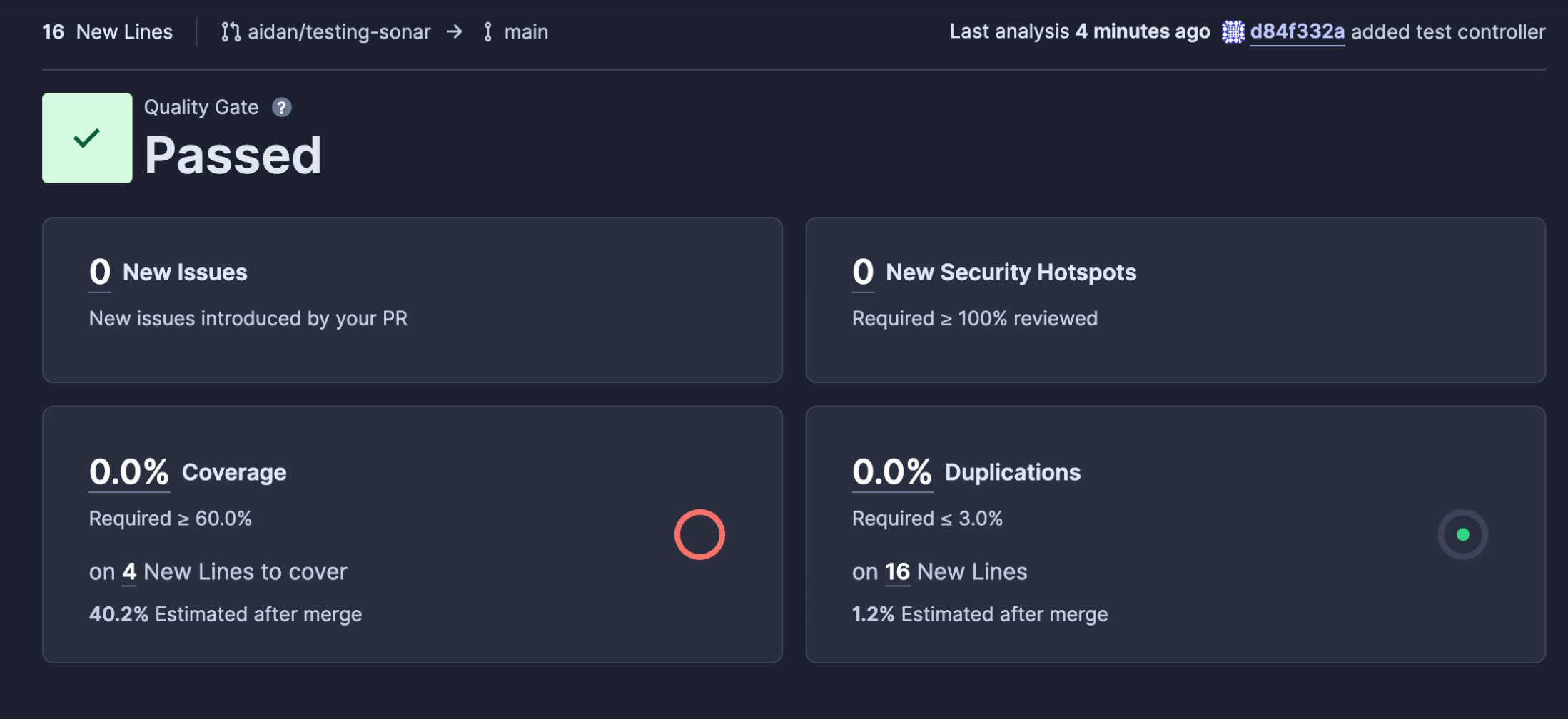
In this job, we perform a comprehensive code analysis using SonarCloud. We clone the code repository with the full commit history, set up Node.js, and install dependencies. The SonarCloud action then executes the scan and uploads the results.
 Image
Image
 Image
Image
We then set up a job to automatically generate Git tags.
generate_git_tags:

name: Generate Git Tags

needs: [test, sonarcloud]

runs-on: ubuntu-latest

outputs:

output_new_tag: ${{ steps.taggerFinal.outputs.new_tag }}

steps:

- name: Checkout code

uses: actions/checkout@v3

with:

fetch-depth: 0

- name: Generate Final Version

id: taggerFinal

uses: anothrNick/github-tag-action@1.67.0

env:

GITHUB_TOKEN: ${{ secrets.GITHUB_TOKEN }}

WITH_V: true

- name: Echo New Tag

run: |

echo "The next new tag will be: ${{ steps.taggerFinal.outputs.new_tag }}"
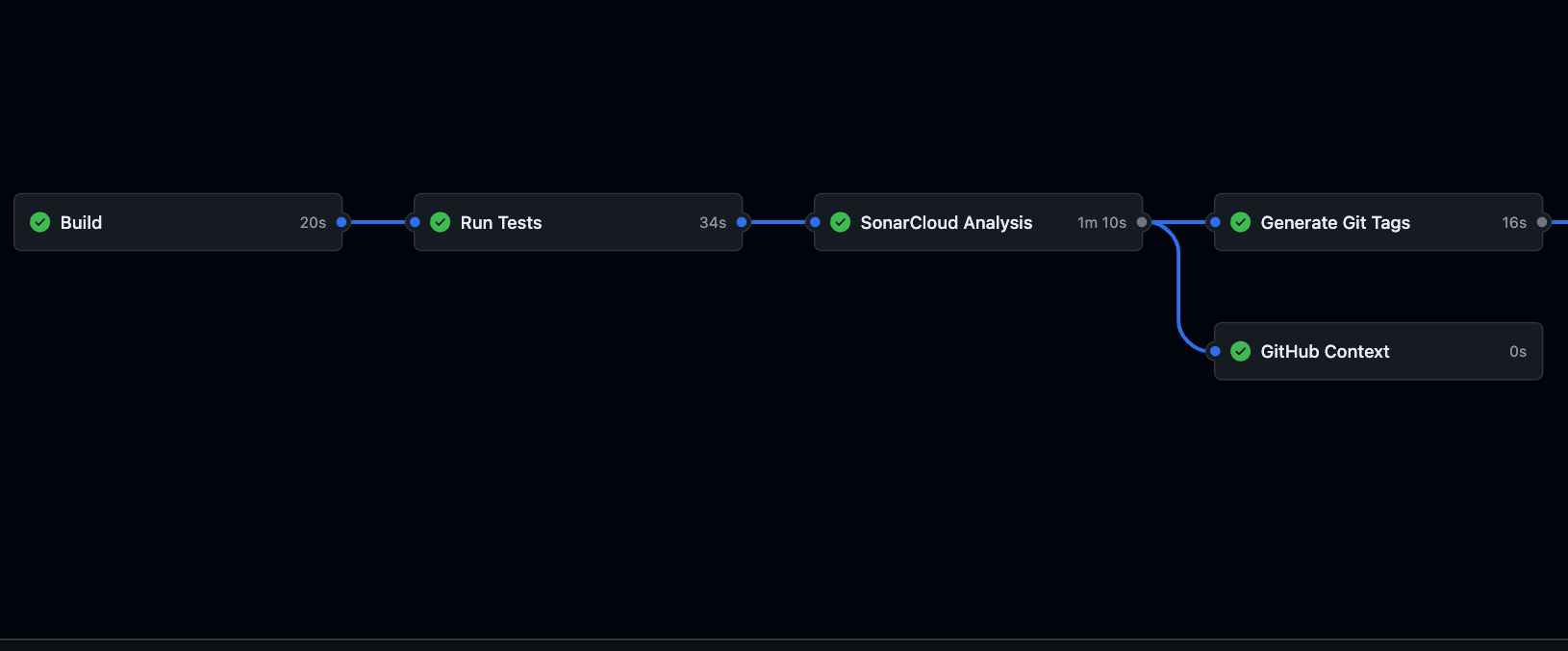
This job uses the github-tag-action to automatically create a new version tag based on the repository's state, and then outputs the new tag's value.
 Image
Image
Let's create our GitHub Release, which will publish a new release based on the generated tag.
generate_git_release:

needs: [test, sonarcloud, generate_git_tags]

name: GitHub Release

runs-on: ubuntu-latest

steps:

- name: Checkout

uses: actions/checkout@v3

- name: Release Action

uses: ncipollo/release-action@v1.14.0

with:

tag: ${{ needs.generate_git_tags.outputs.output_new_tag }}

token: ${{ secrets.CHANGELOG_RELEASE }}
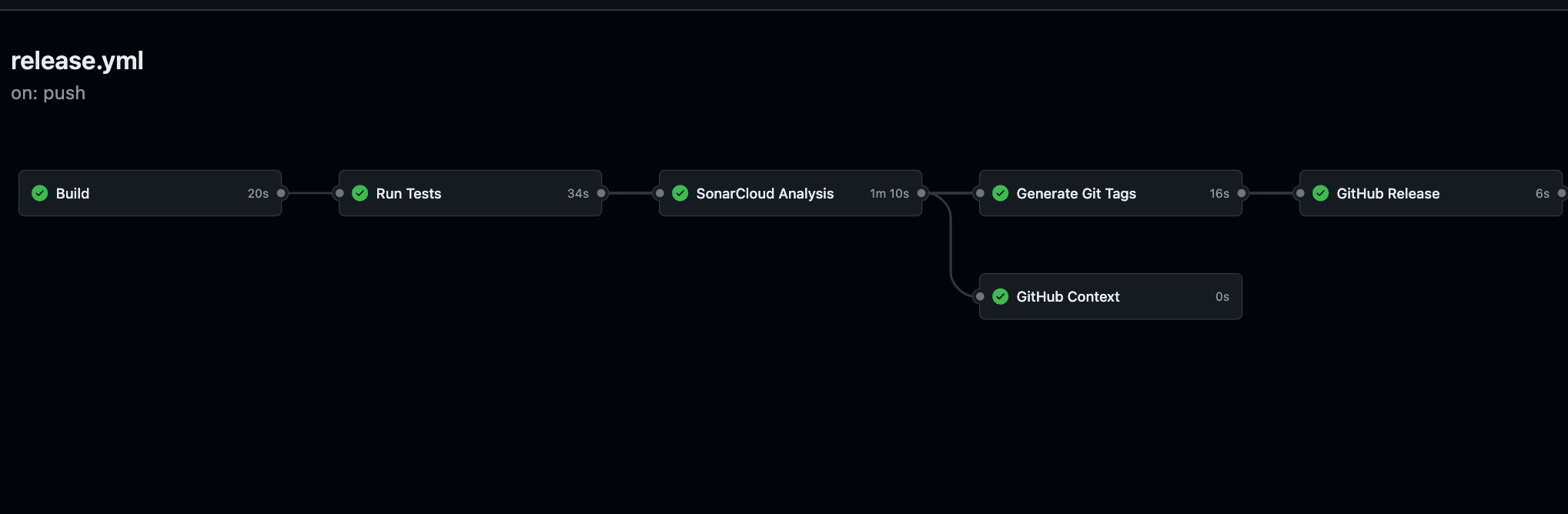
This job creates a GitHub release using the generated tag. It checks out the code and uses the release-action to publish the release.
 Image
Image
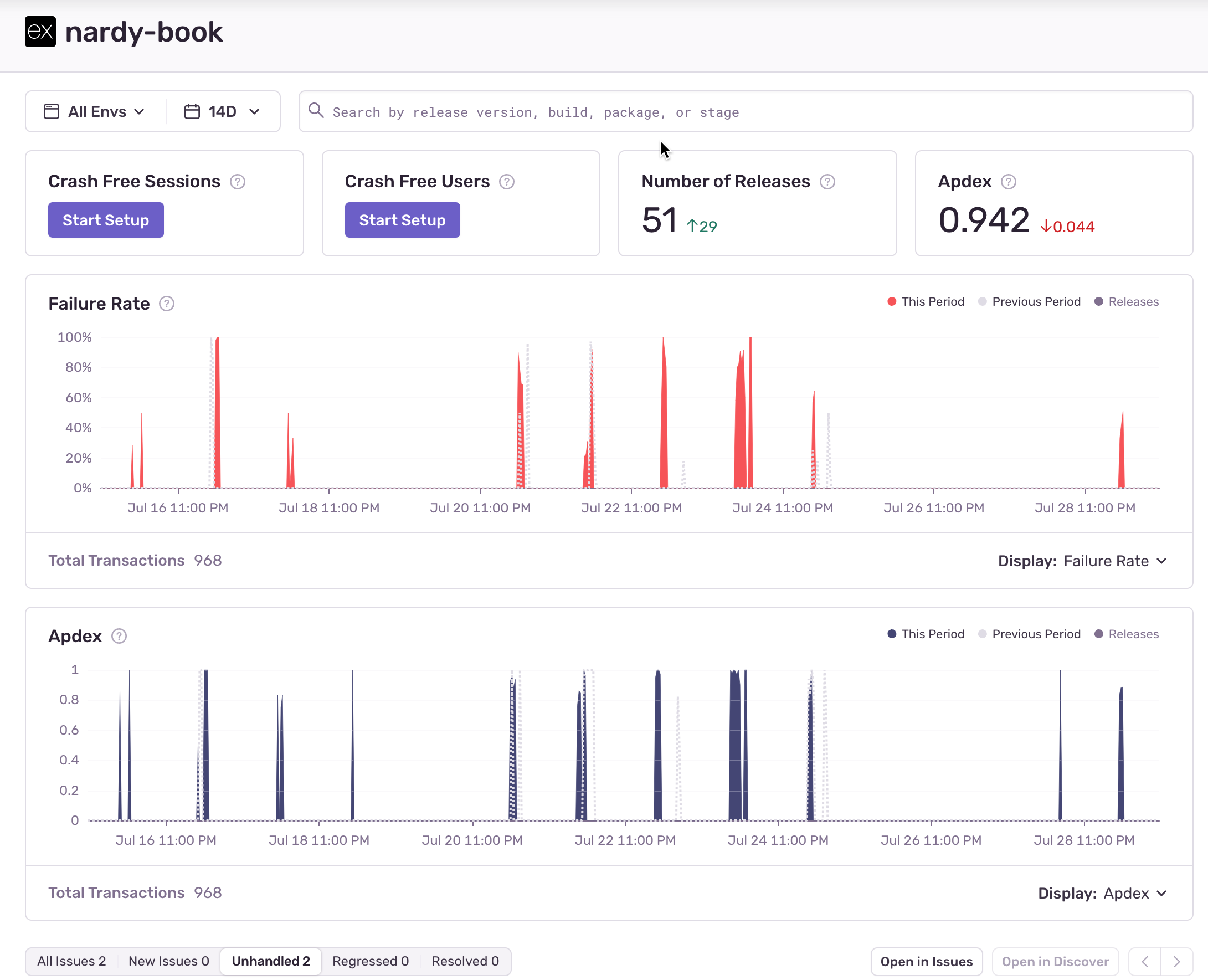
Finally, we integrate Sentry to manage our releases and monitor performance errors.
generate_sentry_release:

needs: [test, sonarcloud, generate_git_tags, generate_git_release]

name: Sentry Release

runs-on: ubuntu-latest

steps:

- name: Checkout

uses: actions/checkout@v3

with:

fetch-depth: 0

- name: Split Repo Name

uses: jungwinter/split@v2.0.0

id: split_repo_name

with:

separator: '/'

msg: ${{ github.repository }}

- name: Echo Repo name

run: echo "${{ steps.split_repo_name.outputs._1 }}"

- name: Sentry Release

uses: getsentry/action-release@v1.7.0

env:

SENTRY_AUTH_TOKEN: ${{ secrets.SENTRY_AUTH_TOKEN }}

SENTRY_ORG: ${{ secrets.SENTRY_ORG }}

SENTRY_PROJECT: ${{ secrets.SENTRY_PROJECT }}

with:

environment: 'production'

version: '${{ steps.split_repo_name.outputs._1 }}@${{ needs.generate_git_tags.outputs.output_new_tag }}'

sourcemaps: './build'

url_prefix: '~'
In this job, our task involves reviewing the code and extracting the repository name. The Sentry action entails creating the release in Sentry, uploading sourcemaps, and linking the release with the new version tag. This process is crucial for effectively tracking errors and managing releases.
 Image
Image
 Image
Image
To provide a comprehensive view of the entire pipeline, here’s the complete YAML configuration file:
name: CI/CD Pipeline

on:

push:

branches:

- main

jobs:

build:

name: Build

runs-on: ubuntu-latest

steps:

- name: Checkout code

uses: actions/checkout@v3

- name: Set up Node.js

uses: actions/setup-node@v2

with:

node-version: '20'


- name: Install dependencies

run: npm ci


test:

name: Run Tests

runs-on: ubuntu-latest

needs: build

steps:

- name: Checkout code

uses: actions/checkout@v3

- name: Set up Node.js

uses: actions/setup-node@v2

with:

node-version: '20'

- name: Install dependencies

run: npm ci

- name: Run tests with coverage

run: npm run test:coverage

- name: Upload coverage reports to Codecov

uses: codecov/codecov-action@v3

with:

files: ./coverage/lcov.info

flags: unittests

name: codecov-umbrella

fail_ci_if_error: true

env:

CODECOV_TOKEN: ${{ secrets.CODECOV_TOKEN }}


sonarcloud:

name: SonarCloud Analysis

runs-on: ubuntu-latest

needs: test

steps:

- name: Checkout code

uses: actions/checkout@v3

with:

fetch-depth: 0

- name: Set up Node.js

uses: actions/setup-node@v2

with:

node-version: '20'

- name: Install dependencies

run: npm ci

- name: SonarCloud Scan

uses: SonarSource/sonarcloud-github-action@master

env:

GITHUB_TOKEN: ${{ secrets.GITHUB_TOKEN }}

SONAR_TOKEN: ${{ secrets.SONAR_TOKEN }}

with:

projectBaseDir: .

args: >

-Dsonar.organization=rowjay007

-Dsonar.projectKey=nardy-books

-Dsonar.sources=src

-Dsonar.tests=src/test

-Dsonar.javascript.lcov.reportPaths=coverage/lcov.info

-Dsonar.typescript.tsconfigPath=tsconfig.json

-Dsonar.exclusions=**/node_modules/**,**/dist/**,**/coverage/**,**/public/**

-Dsonar.test.inclusions=**/*.test.ts


generate_git_tags:

name: Generate Git Tags

needs: [test, sonarcloud]

runs-on: ubuntu-latest

outputs:

output_new_tag: ${{ steps.taggerFinal.outputs.new_tag }}

steps:

- name: Checkout code

uses: actions/checkout@v3

with:

fetch-depth: 0

- name: Generate Final Version

id: taggerFinal

uses: anothrNick/github-tag-action@1.67.0

env:

GITHUB_TOKEN: ${{ secrets.GITHUB_TOKEN }}

WITH_V: true

- name: Echo New Tag

run: |

echo "The next new tag will be: ${{ steps.taggerFinal.outputs.new_tag }}"


generate_git_release:

needs: [test, sonarcloud, generate_git_tags]

name: GitHub Release

runs-on: ubuntu-latest

steps:

- name: Checkout

uses: actions/checkout@v3

- name: Release Action

uses: ncipollo/release-action@v1.14.0

with:

tag: ${{ needs.generate_git_tags.outputs.output_new_tag }}

token: ${{ secrets.CHANGELOG_RELEASE }}


generate_sentry_release:

needs: [test, sonarcloud, generate_git_tags, generate_git_release]

name: Sentry Release

runs-on: ubuntu-latest

steps:

- name: Checkout

uses: actions/checkout@v3

with:

fetch-depth: 0

- name: Split Repo Name

uses: jungwinter/split@v2.0.0

id: split_repo_name

with:

separator: '/'

msg: ${{ github.repository }}

- name: Echo Repo name

run: echo "${{ steps.split_repo_name.outputs._1 }}"

- name: Sentry Release

uses: getsentry/action-release@v1.7.0

env:

SENTRY_AUTH_TOKEN: ${{ secrets.SENTRY_AUTH_TOKEN }}

SENTRY_ORG: ${{ secrets.SENTRY_ORG }}

SENTRY_PROJECT: ${{ secrets.SENTRY_PROJECT }}

with:

environment: 'production'

version: '${{ steps.split_repo_name.outputs._1 }}@${{ needs.generate_git_tags.outputs.output_new_tag }}'

sourcemaps: './build'

url_prefix: '~'In this article, we have configured a comprehensive CI/CD pipeline using GitHub Actions, SonarCloud, Codecov, and Sentry. This setup ensures our code is built, tested, analyzed for code quality, and monitored for performance issues.
To enhance this pipeline further, you can integrate platform-as-a-service (PaaS) providers like Azure or AWS for deployment. Additionally, incorporating Docker and Docker Hub can streamline your deployment process, making it easier to manage and deploy your applications.
By setting up a robust CI/CD pipeline, you ensure a more reliable, efficient, and maintainable development process, ultimately leading to better software quality and faster delivery.
Feel free to modify this pipeline to better fit your project’s needs and enjoy the advantages of automated and efficient development.
References: